Illustrative QR standee
01
Invite honest reviews
A location-specific QR design points customers to the branch’s Google review link. They decide whether to leave a review and can add photos if they choose.
No incentives or selective invitations.
The client journey
We begin with a profile audit, agree on practical changes, then configure the review and alert tools that fit each branch.

Tell us which business and locations you want to improve.
See available profile details, sampled feedback, nearby context and proposed priorities.
Agree on accurate hours, categories, services, contact details and photos for each branch.
Use a location-specific QR design to make the Google review link easy to find.
A Facebook Page source workflow is in development. It is planned to prepare suitable updates as Google post drafts for review; automatic publishing is a later phase.
Prepare useful replies in the review’s language and branch voice. Replies follow the owner-authorized approval process and depend on Google access and service setup.
Use a configured Zalo alert to bring an issue to the manager and close the loop with the customer.
An audit can start from a public profile link. Live review monitoring, publishing and Zalo alerts require the relevant account access, approvals and working integrations.
Request a profile reviewKeep the conversation going
The QR link, AI-assisted reply and Zalo alert form one practical loop for each branch.
A location-specific QR design points customers to the branch’s Google review link. They decide whether to leave a review and can add photos if they choose.
No incentives or selective invitations.
“The team explained everything clearly.”
“Thank you for sharing this. We are glad the explanation helped. — The branch team”
AI can draft a short, relevant response in the review’s language when clear, using the branch’s configured tone and sign-off. Live posting depends on Google access and workflow setup.
Illustrative text; review samples are separate from live Google reviews.
A critical review needs attention at this branch. Review the concern and reply draft.
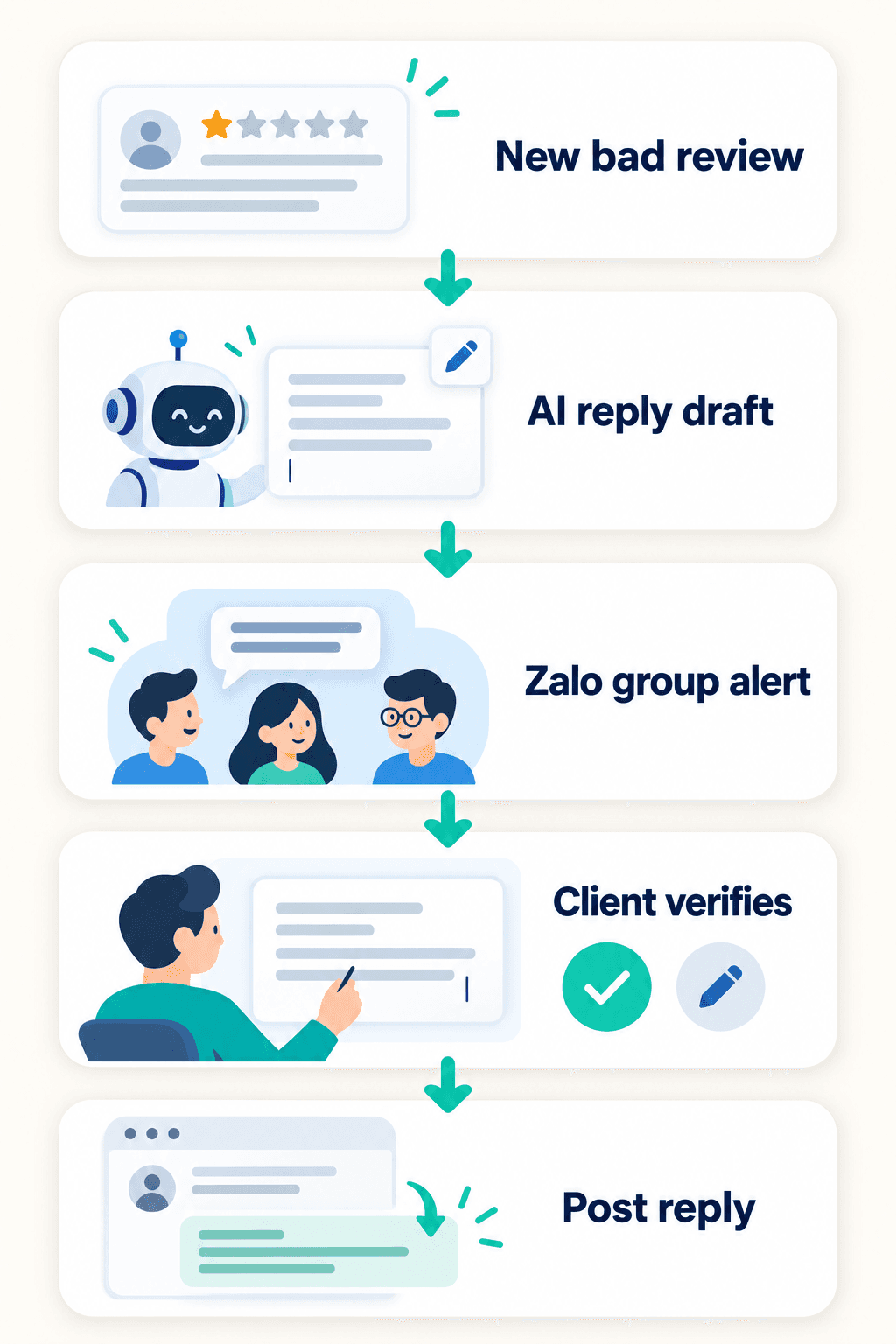
With live review access and a configured Zalo group, managers can be alerted to a 1–3-star review, investigate it, and review an AI draft before a reply is posted.
Critical replies require client review and approval.
Google recommends inviting genuine reviews and writing polite, specific, timely replies. Its guidance also calls for empathy and privacy when responding to negative feedback.
Explore the full processWhen monitoring and Zalo are set up, a new critical review alerts the manager or owner, who can investigate the issue and review an AI reply draft before it is posted.
Monitoring identifies a new low-rated review on the connected profile.
AI prepares a suggested reply as a draft.
The configured Zalo group receives a notice so the team can act quickly.
The manager or owner checks the concern and edits or approves the suggested reply.
The approved response is published to the Google review.